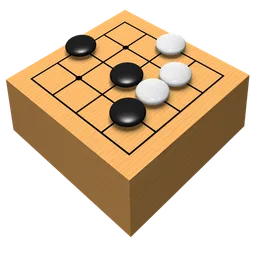
Goban for MAC
Go board for Mac: play on Internet go servers or your local network, watch live games on IGS and review games and joseki libraries.
Goban Overview
Goban is a Mac app for playing the board game go. You can play against people on Internet go servers or on your local network, and against your computer with a free plug-in. On IGS, the Internet Go Server, you can watch live professional and amateur games. Goban is also a tool for study: you can review and analyze games and browse joseki and fuseki libraries. The developer describes it as a powerful, simple, fast and elegant go board.
Goban is made by Sen:te (Senten Sàrl) and is a paid app on the Mac App Store for $9.99; no free trial is offered there at the moment. Playing against the computer needs a free plug-in. Version 4.11 adds Touch Bar support along with bug fixes and improvements. Goban needs macOS 10.11 or later and is available in English and French.
Key Features
Goban brings online play, local play and study tools together on one board.
- Internet play: play with people on Internet go servers.
- Local network: play other players on your local network.
- Computer opponent: play against your Mac with a free plug-in.
- Watch live games: observe professional and amateur games on IGS.
- Game review: review and analyze your games.
- Opening libraries: browse joseki and fuseki libraries.
- Touch Bar support: controls on the Touch Bar of MacBook Pro models that have one.
- Two languages: English and French.
What’s New in Version 4.11
Goban 4.11 adds Touch Bar support.
- Touch Bar support
- Bug fixes and improvements
Goban FAQ
Is Goban free?
No. Goban is a paid app on the Mac App Store for $9.99, and there is no free trial at the moment.
What can I do with Goban?
Play go on Internet go servers or your local network, play against the computer, watch live games on IGS and review and analyze games.
Can I play go against the computer in Goban?
Yes, but it needs a free plug-in.
Can I watch professional games?
Yes. Goban lets you observe live professional and amateur games on IGS, the Internet Go Server.
Does Goban have joseki and fuseki libraries?
Yes. You can browse joseki and fuseki libraries in Goban.
Which macOS version does Goban need?
Goban 4.11 needs macOS 10.11 or later.
Which languages does Goban support?
English and French.
What is new in Goban 4.11?
Touch Bar support, plus bug fixes and improvements.
Who makes Goban?
Goban is made by Sen:te (Senten Sàrl).
Where does the Goban download on goban.FULLMAC.app come from?
The download button leads to the official Goban page on the Mac App Store at https://apps.apple.com/us/app/goban/id646372172. goban.FULLMAC.app does not change or repackage the app.
Similar Apps
- Out of the Park BaseballOut of the Park Baseball is a baseball management game by Out of the Park Developments. You run a franchise from the front office and the dugout: sign free agents, draft prospects, negotiate trades, develop players and manage games, which you can watch in 3D stadiums. OOTP 27 is fully licensed by MLB, the MLBPA, Minor League Baseball and the KBO, and it comes with the 2026 Opening Day rosters, all the real minor leagues and the history of MLB baseball from the late 1800s, so you can play any season or create a fictional universe.Games
 OpenRCT2OpenRCT2 is an open-source re-implementation of RollerCoaster Tycoon 2, the classic construction and management game. You build and maintain an amusement park full of rides, shops and facilities, and try to make a profit and keep a good park reputation while keeping your guests happy. You can play scenarios, which set an objective to complete within a time limit, or sandbox mode, where you build a freer park with optionally no restrictions or finances.Games
 Battle for WesnothThe Battle for Wesnoth is an open-source, turn-based tactical strategy game with a high fantasy theme. You can play it alone or in online and local multiplayer. Its campaigns each have their own tactical challenges, story and several difficulty levels, and its world is told through hundreds of sprites, animations and characters. Factions have many different unit skills and traits, so choosing and using your units is at the centre of each battle.Games
- Franchise Hockey ManagerFranchise Hockey Manager is a hockey strategy game by Out of the Park Developments, the makers of Out of the Park Baseball. You run a team as general manager and coach: build the roster, make trades, sign players and guide the club to the Stanley Cup. FHM 13 is officially licensed by the NHL, is updated with complete team and player data for the 2026-27 season, and lets you play in online leagues against friends or create your own hockey universe.Games
- BGBlitzBGBlitz is backgammon software for Mac, Windows and Linux by Frank Berger. Its artificial intelligence has won the backgammon competition at the Computer Olympiad several times, including 2016 with BGBlitz 2.8.4, and it is used by several backgammon servers. You can play, study your mistakes and train with flashcards, and one licence covers all your computers.Games
- X-PlaneX-Plane is a flight simulator for Mac made by Laminar Research, who describe it as the world's most comprehensive and powerful flight simulator for personal computers, with the most realistic flight model available. X-Plane 12 simulates subsonic and supersonic flight, comes with more than a dozen aircraft in the default installation and covers the globe from 74° north to 60° south with over 33,000 airports. Weather is modelled in the simulator and can follow current real-world weather downloaded from the internet.Games
FULLMAC.app does not host this app. Download buttons lead to the developer’s own pages.